
- How it works
- Compatible devices
Plan a South Korea eSIM for Seoul and Busan with SKT setup, passport verification, phone-number timing, unlimited data, and call/SMS credit details.

South Korea is one of those destinations where the phone becomes useful before you leave the airport. You need addresses, subway exits, hotel messages, translation, taxi apps, QR tickets, and sometimes a local number. The current SKT Unlimited range is a strong fit because the Red eSIM and Gold pickup SIM provide unlimited 4G LTE data with no FUP, no daily speed cap, and no throttling.
The setup is simple, but the order of events matters. Data can work once the eSIM is installed and connected in Korea. Calls and SMS require passport authentication. Incoming domestic calls and SMS are then free; outbound use beyond the one-time free call needs separate prepaid credit from SKRoaming.
Get connected before the first train ride SKT Unlimited data • eSIM or airport pickup SIM • no daily throttling See South Korea SKT plans ->
Install your eSIM on Wi-Fi before you fly if you are using the Red eSIM. Your assigned phone number appears with the QR code details in the email. If iOS shows a "Failed to Activate eSIM" message outside Korea, the installation can still be complete; the line activates when it connects to the SKT network in South Korea.
For the Gold pickup SIM, collect the physical SIM at the nominated SKT Roaming Desk. The phone number is confirmed after pickup.
Before leaving Incheon, Gimpo, Gimhae/Busan, or Jeju airport, check:
Seoul-only trips still use more data than expected because local movement is app-led. A day can include five or six route checks, station exit comparisons, cafe searches, taxi bookings, hotel messages, and translation.
Busan adds transfer pressure. KTX tickets, platform changes, new hotel addresses, and beach or ferry routes all create small bursts of data use. Unlimited data is useful because these are not "heavy streaming" activities; they are repeated travel tasks that happen when you least want to ration data.
Authentication is possible with a short-term foreign passport. When the activation portal requests details, enter the passport information manually. A passport photo upload is not required.
SKT permits one SKT tourist product activation per passport. This is an SKT product rule, not a universal per-carrier rule under Korean telecom law. If online authentication cannot be completed for your situation, SK Telecom may require in-person verification at a Roaming Desk with your physical passport.
Until authentication is complete, do not rely on the SKT line for calls or texts. Use data apps such as WhatsApp, KakaoTalk, LINE, iMessage, email, or hotel chat instead.
The free 5-minute call is a one-time activation benefit. It is not a recurring allowance and does not mean unlimited calls under 5 minutes.
After authentication, incoming domestic calls and SMS are free and do not use prepaid credit. Beyond the one-time free call, outbound domestic and international calls and outbound SMS require separate prepaid credit. Credit is available online through SKRoaming and offline at SK Telecom Roaming Desks. Balance alerts are sent by SMS after credit is added, below 1,000 KRW, and when the balance runs out. Real-time balance can also be checked at skroaming.com.
The 2026 T-Money promotion applies to eligible SKT eSIM Red and SKT SIM Gold purchases of 3 days or longer. The benefit is one free T-Money transit card with voucher presentation required. Pickup is at four SKT Roaming Desks: Incheon Airport Terminal 1, Incheon Airport Terminal 2, Gimhae Airport, and Gimpo Airport.
If you are travelling during peak arrival periods, keep the voucher easy to open and allow time at the desk. Promotions can be stock-limited or adjusted before the end date.
Yes. Install the SKT eSIM before departure on Wi-Fi, then switch it on after landing in Korea. The line activates when it connects to the SKT network.
Yes. For eSIM, the number appears with the QR code email. For pickup SIM, it is confirmed after collection. Calls and SMS still require passport authentication.
No. The SKT Unlimited Red eSIM and Gold pickup SIM have no FUP, no daily speed cap, and no throttling.
No. SKT permits one SKT tourist product activation per passport; this is an SKT product rule, not a universal Korean per-carrier rule.
Purchase SKT call/SMS credit through SKRoaming online or at an SK Telecom Roaming Desk. Data on SKT Unlimited remains unlimited for the plan validity and cannot be extended.

Plan a Seoul eSIM with SKT Unlimited data for Incheon or Gimpo arrival, subway maps, taxi apps, hotel check-in, passport authentication, and call/SMS setup.

Alex A.
Apr 19, 2026
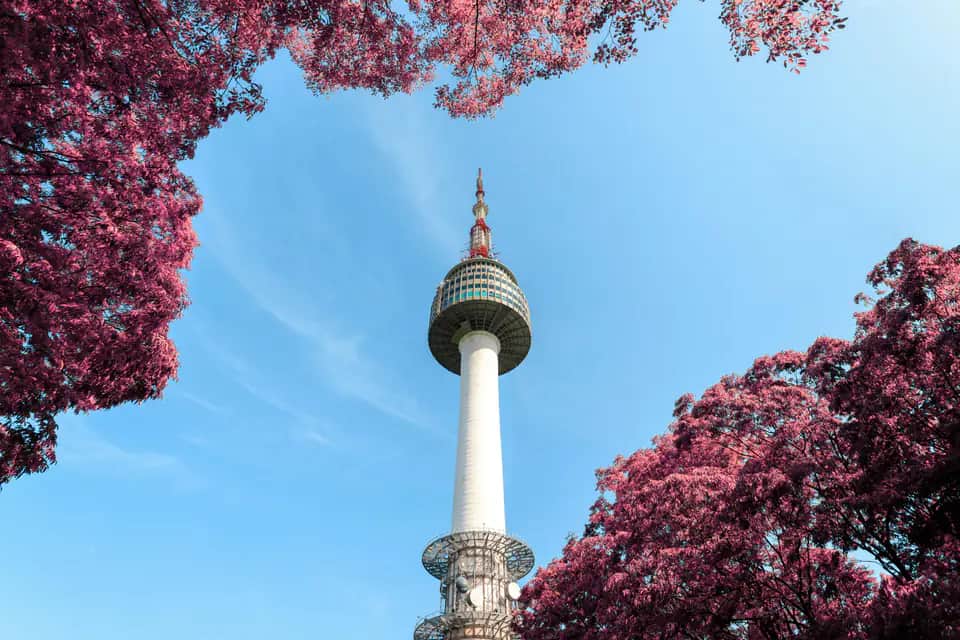
Choose a seven-day South Korea eSIM for SKT coverage, Seoul and Jeju travel, with activation, phone-number, hotspot and airport guidance.
Alex A.
Jul 20, 2026

Set up an SKT Korea tourist eSIM, find the number, complete passport verification, understand when data and calls work, and add prepaid call/SMS credit.
Alex A.
Apr 18, 2026
Before you travel
Check current data, validity, coverage and activation details for your South Korea trip before you choose.
